AI Smart-Building Security & Management System
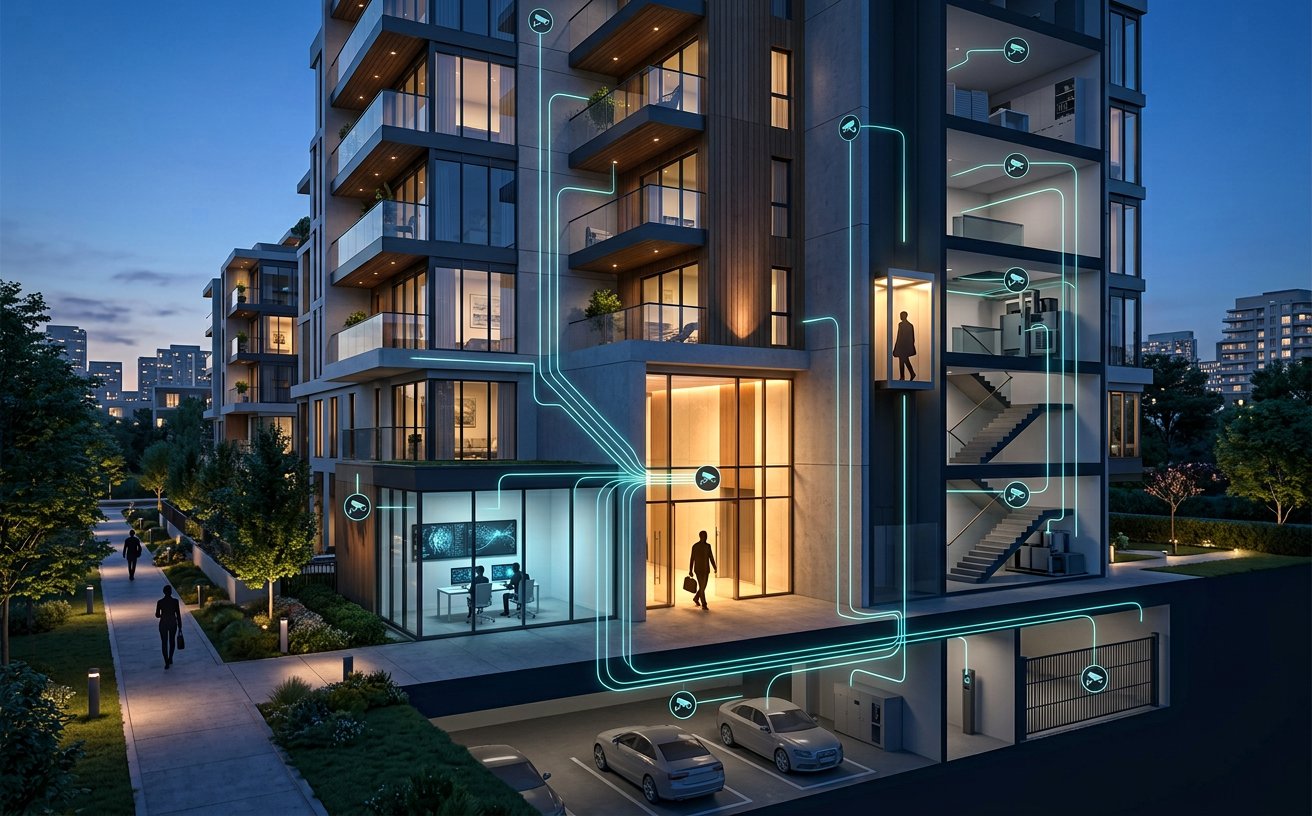
A conceptual AI system connecting a residential complex’s cameras and compatible access controls to flag unauthorized entry and parking events—with human review and resident safety first.
Overview
This conceptual case study outlines an AI-assisted security architecture for a residential complex. Compatible network cameras and building systems can feed a shared, event-based console so a manager or guard can review relevant evidence promptly. The system supports decisions; it does not establish a person's identity or declare that a crime has occurred on its own.
Security scenarios
- Uncredentialed or unrecognized entry, relative to an approved and maintained access list: notify the manager with a selected camera frame, time, location and reason. Capturing or sharing a face image is conditional on a lawful basis, necessity and the property's approved policy.
- Repeated loitering near entrances or vehicles: analyze movement patterns within configured zones and time windows, then request human review. Appearance or presence alone is not evidence of wrongdoing.
- Restricted perimeter crossing, climbing a wall or entering through an unauthorized route: correlate camera analytics with perimeter sensors where available and route the event to security staff.
- Possible tampering with or removal of a vehicle or object from parking: correlate parking footage, door events, access permissions and time; provide a relevant frame or short clip for prompt review.
- Optional vehicle entrance: connect a compatible license-plate reader and compare a plate with an authorized list. Plate matching is a supporting signal and may be sent to a guard for confirmation.
Architecture and workflow
Compatible IP cameras and an NVR/VMS can connect to an edge-analysis node or a controlled server, subject to technical compatibility and authorization. An event engine correlates video with access-control signals and site rules. The manager console presents a prioritized alert, relevant frame or short clip, camera name, timestamp, confidence indicator and acknowledge/reject actions. Notifications can use agreed channels such as the management console, SMS or a push-notification gateway.
Doors, elevators and safe response
Integration with a controlled entrance, parking gate and—where the vendor API supports it—elevator dispatch or permitted-floor controls can be evaluated. Automated actions must be limited to pre-approved scenarios, tested equipment and authorized zones. The system may place a controlled external entrance into a secure state or prevent an unauthorized opening; it must never lock emergency egress, fire-service access or escape routes. Life-safety rules, free emergency exit, fire-alarm override and guard manual control take precedence. Trapping occupants in an elevator or stopping elevator movement is outside the permitted response design.
Privacy and data security
- Define camera coverage, provide clear notice to residents and visitors, assign data responsibility, and review the legal basis before enabling face or plate recognition.
- Apply role-based access, audit viewing and response actions, encrypt connections, minimize retention and, where feasible, mask unrelated faces in notifications.
- Local processing or a property-approved hosting environment is preferred. Sending footage to an external service is not a default and requires security review, authorization and explicit agreement.
- An alert, model score or face/plate match is a lead for human review—not proof. A model output alone must not trigger a punitive action or definitive identity claim.
Concept scope and prerequisites
This is a conceptual design, not a claim of deployment or validated performance at a real property. Delivery depends on camera inventory and protocols, image quality and lighting, network and storage, door controllers, elevator and plate-reader vendor APIs, backup power, retention policy, life-safety requirements and required approvals. Before deployment, run a limited pilot, test authorized scenarios and false positives, review cybersecurity and privacy impact, and obtain property-management approval.
This is a conceptual example, not evidence of a completed project.